Setting up the Risk Register
Usage of the Risk Register module in Dash360 requires some initial set up from the Admin perspective. The set up for the Risk Register resides in two places in the Admin module. Risk ID prefixes and Risk Thresholds can be found by editing the desired project and then selecting Risk Register from the top of the modal.

Risk Categories and Risk Types are set for the entire Dash360 instance and are located in Admin - Projects. Then select the Risk tab.

To start adding Risks, Risk ID prefixes, Risk Categories, and Risk Types are required. Risk Thresholds are required for any analysis of the created risks, but risks can be created without thresholds.
Risk Categories and Risk Types are simple text fields that can be add by selecting Add a New Risk Category or Add a New Risk Type.
 Risk ID Prefixes are a bit more complicated. Dash360 is designed to automatically increment the numerical value in the Risk prefix. For this to happen, the title, prefix, starting number, and the increment value need to be defined.
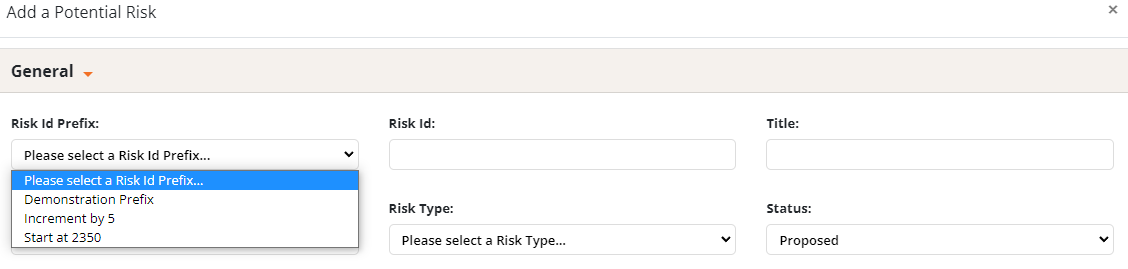
 Enter your desired values and then select Add Risk Id Prefix. These values control how Risk IDs are created. The Risk ID prefixes shown above create IDs as seen below.

The title pictured is not the Risk ID prefix title. The picture was taken from the Risk Register module so title refers to the title of the risk. The Risk ID prefix title is selected when creating a risk in the Risk Register module. Seen below.